
Onboarding experience of FunnelKit Automations
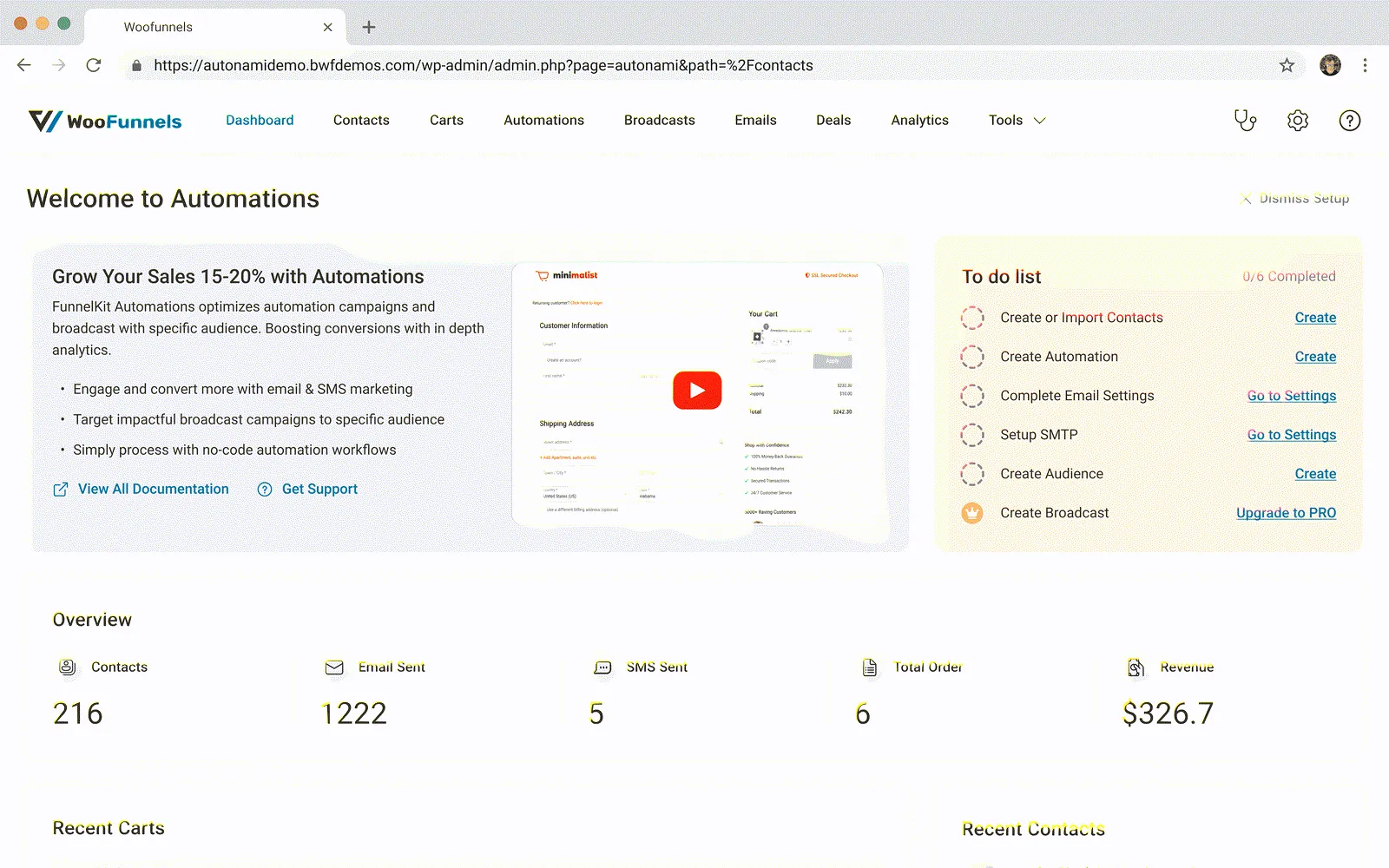
Designed the onboarding experience for FunnelKit Automations to streamline compliance and feature discovery.
- Company
- FunnelKit
- Role
- UX Designer
- Expertise
- UX/UI Design
- Year
- 2024
Step 01
Problem Statement
Problem Identification
Users were struggling to discover and complete the necessary compliance requirements for sending emails and automation, leading to issues such as emails being marked as spam or not delivered. This created friction at the moment users were most ready to set up their automations.
How We Identified the Problem
This issue was primarily identified through user feedback and support tickets, where users reported difficulties with email delivery and compliance.
Step 02
Need
The need for this project arose because FunnelKit Automation lacked a structured onboarding process. Without guided onboarding, users struggled to effectively set up and explore the product's capabilities.
Step 03
Challenge
The primary challenge was to create an onboarding experience that not only assists users in discovering compliance requirements but also enhances their opportunity to explore the platform's capabilities.
Step 04
Opportunity
The need for this project was driven by the desire to streamline the onboarding process, making it faster and more efficient, while also encouraging users to engage more deeply with the platform.
Step 05
Solution
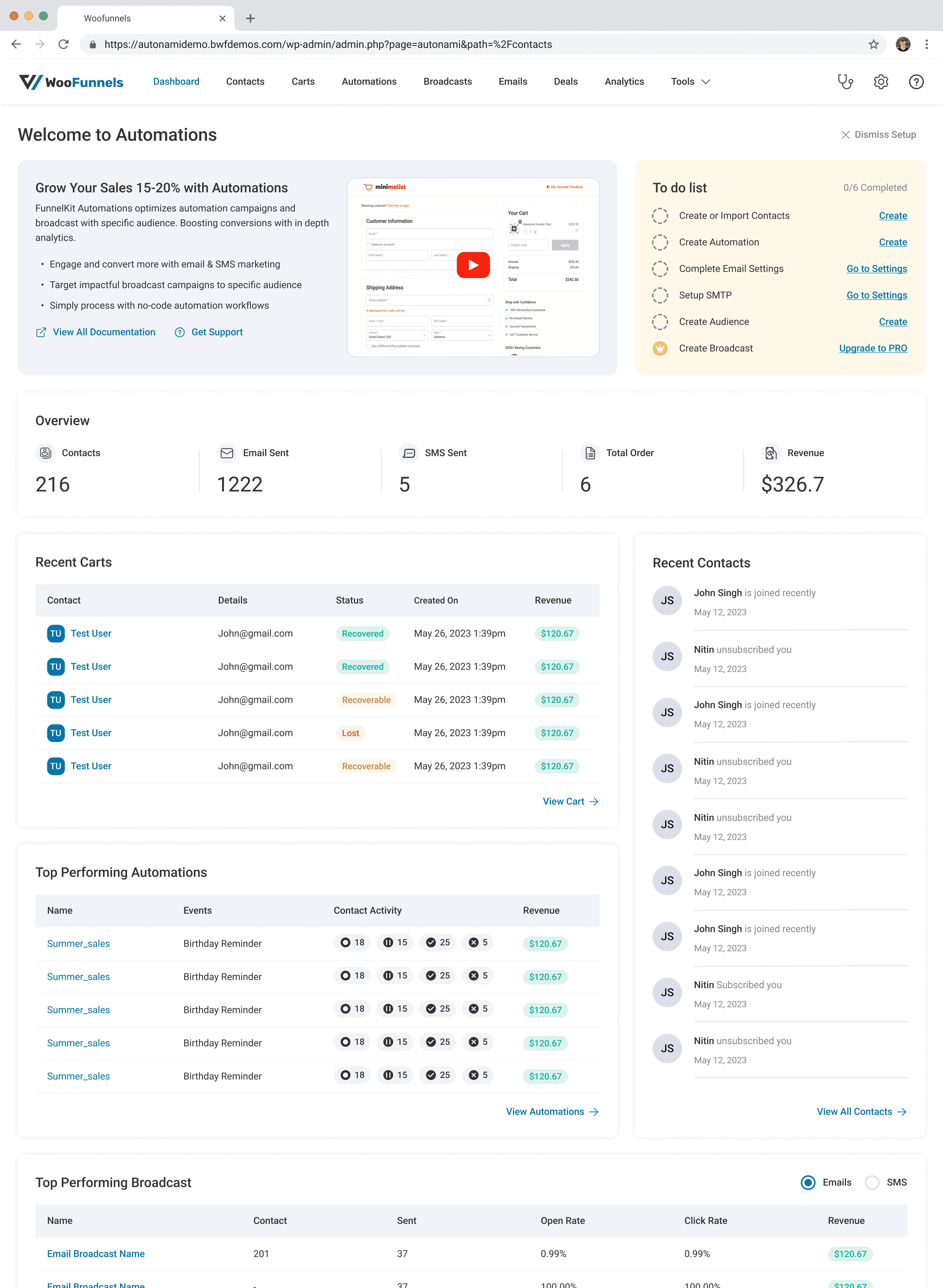
Designed a fast onboarding wizard with the dashboard wizard to guide users through the onboarding steps. This wizard not only facilitated the completion of necessary tasks but also surfaced key capabilities users would otherwise miss.
While ensuring the design remained consistent with the FunnelBuilder onboarding experience. This consistency allowed us to follow our established design system while also exploring new patterns specific to this product.
Step 06
Process
User Research
Research included an analysis of user needs and pain points, particularly focusing on how existing solutions handle onboarding. Competitor analysis was also conducted to gather insights and benchmarks.
Competitor Research
Benchmarked existing onboarding flows from competitors to identify common patterns and gaps we could improve upon.
User Feedback
User feedback highlighted the effectiveness of the dashboard wizard in guiding users through the process. However, it also revealed areas for improvement, particularly in how compliance requirements were communicated.
Step 07
Results
This project significantly improved the onboarding experience, resulting in higher user engagement and conversion rates. The streamlined process not only met compliance requirements but also increased the rate at which users discovered the product's deeper functionality.
Value Added
The project resulted in increased conversions from lite to pro users and a rise in GMV (Gross Merchandise Volume) installations.
Learnings
A key takeaway from this project was understanding how to create business opportunities through well-designed onboarding experiences. The approach can be applied to future projects to drive engagement and adoption.