
How I prepared my design system for its newest user, AI
Design-to-code accuracy from 60% to 90%, by making design systems machine-readable.
Design-to-code accuracy went from 60% to 90%.
- Role
- Design Systems Lead
- Timeline
- 3 months
- Toolkit
- Design tokens · Figma Variables API · AI / LLM tooling (Figma MCP) · JSON schema design · Technical documentation
Problem
AI tools could read a Figma file but not the design system inside it. They guessed at colors, rebuilt components from scratch, and produced code that broke the moment a token changed.
Approach
Restructured the design system into a 3-tier token architecture (primitive → semantic → component) plus a JSON bridge file AI could actually parse, the same way an API documents itself for another program.
Result
Figma-to-React accuracy went from 60% to 90% average across three AI tools, with a 60% drop in design-to-code iteration cycles.
Every design system speaks two languages: one for humans, one for machines. I built the bridge between them and cut design-to-code conversion error rate from 40% to 10%.
The problem: AI tools like Figma MCP could convert designs to React code, but the output looked nothing like the actual design system: hardcoded colors, wrong spacing, generic components instead of the real ones. The insight: AI doesn't see your Figma file the way a developer does. It needs structured tokens, named variables, and a machine-readable JSON mapping to produce accurate output. The result: 90% accuracy in Figma-to-React conversion, components that AI can instantiate correctly on the first try, and a design system that speaks to both humans and machines.
01The gap nobody was talking about
Every design team I'd worked with had the same problem, stated differently. Engineers would open a Figma file, see a beautiful component library, and then rebuild it from scratch using hardcoded values. The design system existed in Figma. It existed in code. They were never the same thing.
Then AI entered the picture. Figma MCP, Cursor, Claude, Cline: tools that could read a Figma file and generate React components. The promise was thrilling. The reality was not.
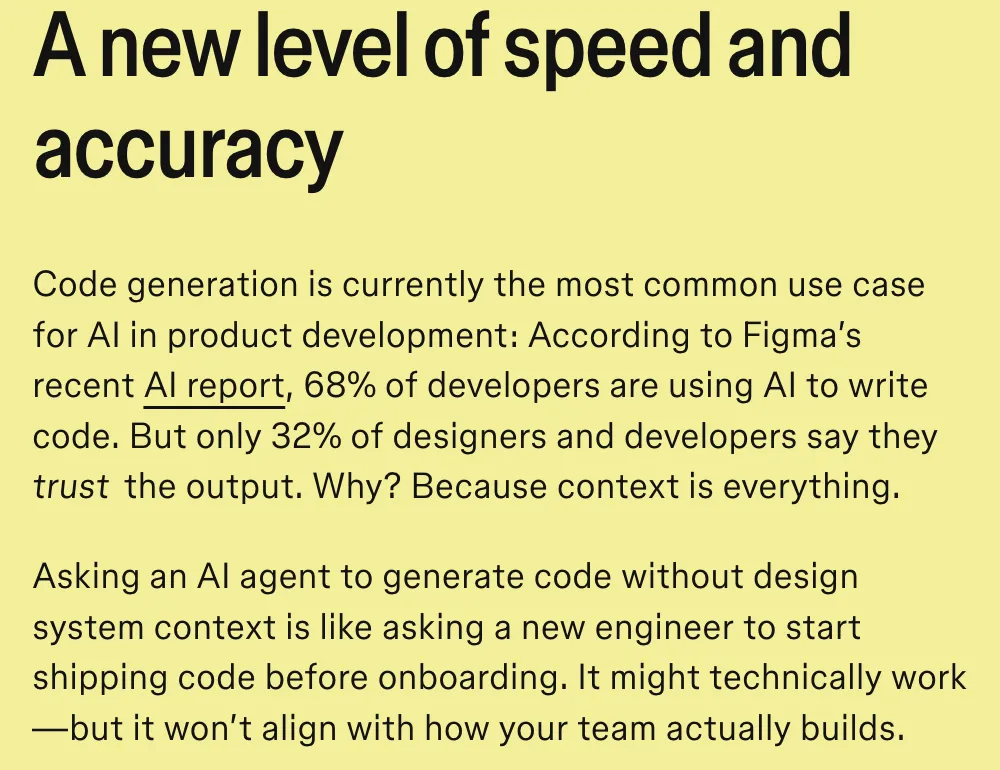
This isn't just my problem. Figma's own AI report found that 68% of developers are now using AI to write code. But only 32% of designers and developers say they trust the output. The conclusion, drawn from that data by one of Figma's Designer Advocates, was the same one I kept running into by trial and error: context is everything.
I ran the same test across three AI tools. I gave each one a Figma file with a fully built design system: components, variants, auto-layout. The output:
Colors: AI picked the nearest hex value instead of using the actual design token. #1A73E8 became #1976D2. Close enough for a human eye. Wrong enough to break a theme.
Spacing: Padding was 23px instead of the 24px defined in our 4px base grid. Margins were arbitrary. The spatial rhythm was gone.
Components: AI created new components from scratch instead of referencing the existing ones. A button was built from divs and spans instead of using the Button component from the library.
Typography: Font sizes were pixel values instead of token references. Line heights were computed, not semantic.
The output looked almost right. But “almost right” in a design system is broken. Tokens exist so that one change propagates everywhere. If AI bypasses the token system, the entire point of the design system collapses.
The AI generated a button that looked perfect. Then we changed our primary color in the design system, and the AI-generated button didn't update. It was a fossil, a snapshot of a system it never actually used.
Try it
Change the brand colour
Pick a new value for Color/Brand/Primary. Everything on this page that reads the token follows it. The AI-generated button doesn't: it copied a hex value instead of referencing the token.
References the token
background: var(--color-brand-primary);Up to date
Generated with a hardcoded hex
background-color: #1976D2;Still #1976D2: a fossil of the old system
Looks right, for now
02Reframing the problem
I spent two weeks debugging AI output before I realised I was solving the wrong problem. The issue wasn't the AI tools. The issue was that my design system was designed for human eyes, not machine parsing.
Humans can look at a Figma file and intuitively understand that a blue button uses the primary brand color. AI reads the file as a data structure. If the data structure says fill: #1A73E8, that's what it uses, regardless of whether a variable called Color/Brand/Primary exists in the file.
The realisation was simple but fundamental: AI needs the same kind of structured, named, machine-readable system that APIs provide for code. Design tokens aren't just a consistency tool for humans. They're an interface for machines.
I reframed the work: I wasn't building a design system. I was building an API that happened to be expressed in Figma.

Figma has since shipped its own version of this idea: Dev Mode MCP Server and Code Connect link a design component directly to its real code implementation. My token/JSON layer solves the step before that: it makes sure the values feeding into any of it (Code Connect included) are ones AI can actually trust, instead of guessing at colors and spacing from a static file.
To be precise about what actually changed: I didn't make the AI smarter. I gave it a system precise enough that it stopped needing to guess.
03The process: five phases
Phase 1Audit what exists
Before changing anything, I mapped every component, every style, every value across the existing design system. The audit revealed three categories:
Category Count AI-friendly? Components with proper variants 12 Partially: variants existed but weren't named for machine parsing Hardcoded style values 847 No: colors, spacing, typography all inline Components without variants 38 No: single-state, no structured data 847 hardcoded values. Each one a potential point of failure when AI tries to convert the design.
Phase 2Build the variable architecture
Figma's variable system is the foundation. I restructured the entire design system around three tiers:
Tier 1Primitive tokens (Global)
The raw values. Color primitives, spacing numbers, font sizes. These never get used directly in components.
Token Value Color/Blue/50 #E3F2FD Color/Blue/100 #BBDEFB Color/Blue/500 #1A73E8 Color/Blue/900 #0D47A1 Spacing/0 0px Spacing/1 4px Spacing/2 8px Spacing/3 12px Spacing/4 16px Spacing/6 24px Spacing/8 32px Spacing/12 48px Tier 2Semantic tokens
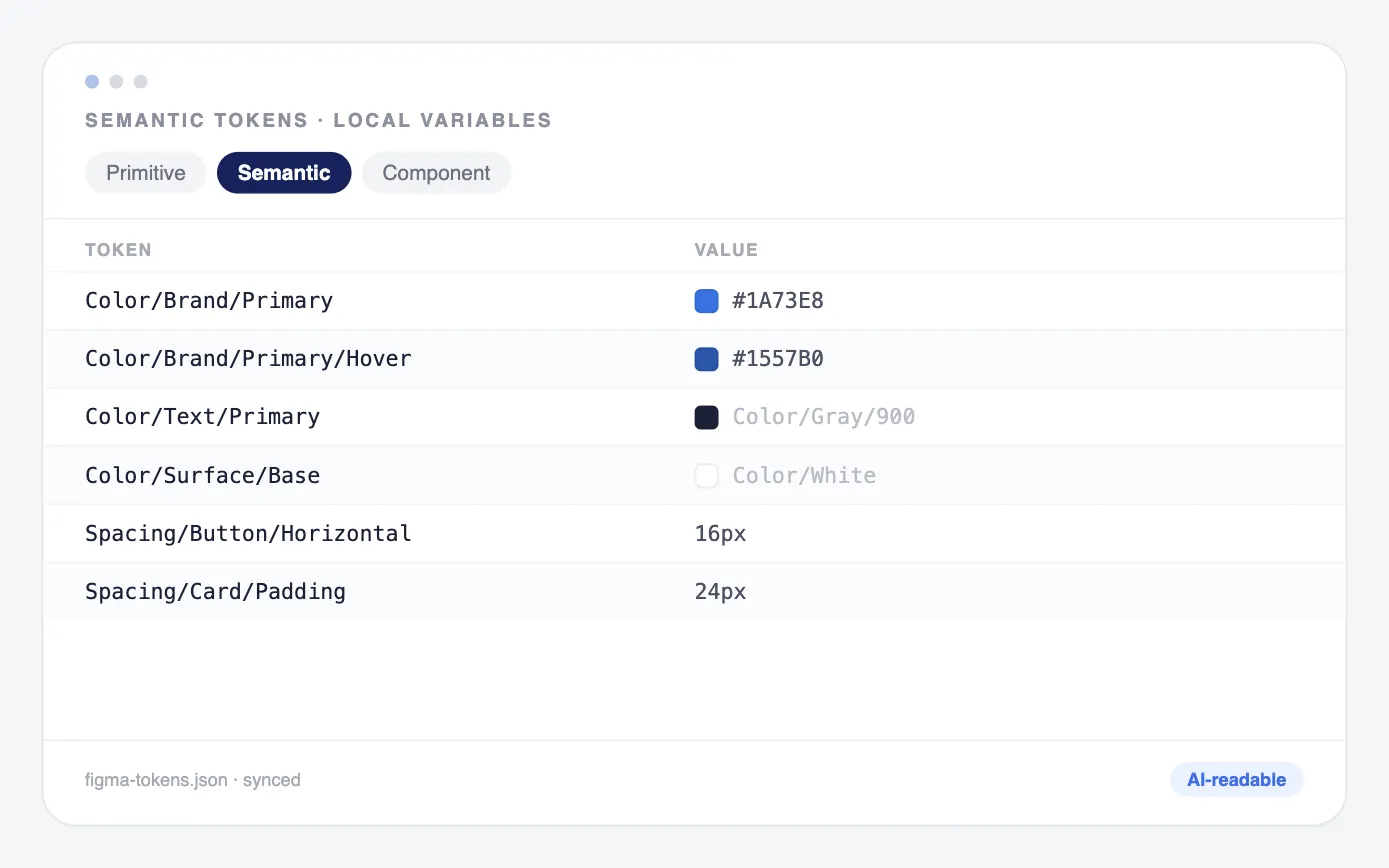
Purpose-driven names that map to primitives. This is where AI gets its context.
Token Maps to Color/Brand/Primary → Color/Blue/500 Color/Brand/Primary/Hover → Color/Blue/600 Color/Brand/Primary/Active → Color/Blue/700 Color/Text/Primary → Color/Gray/900 Color/Text/Secondary → Color/Gray/600 Color/Text/Disabled → Color/Gray/400 Color/Surface/Base → Color/White Color/Surface/Raised → Color/Gray/50 Color/Surface/Overlay → Color/Black/20 Spacing/Button/Horizontal → Spacing/4 Spacing/Button/Vertical → Spacing/2 Spacing/Card/Padding → Spacing/6 Spacing/Section/Gap → Spacing/8 Tier 3Component tokens
The most specific layer. These reference semantic tokens and map directly to component properties.
Token Maps to Button/Primary/Background → Color/Brand/Primary Button/Primary/Background/Hover → Color/Brand/Primary/Hover Button/Primary/Text → Color/White Button/Primary/Radius → Radius/md Button/Primary/Height → Size/10 Input/Border/Default → Color/Gray/300 Input/Border/Focus → Color/Brand/Primary Input/Background → Color/Surface/Base Input/Height → Size/10 Why three tiers, not two? Because AI needs the semantic layer to make decisions. If it only sees primitives, it picks the wrong blue for a text color. If it only sees component tokens, it can't adapt when the brand changes. The semantic layer gives AI the intent behind each value.
Phase 3Name everything for machine consumption
This was the most time-consuming phase and the most important. I renamed every variable, every component, every property with a consistent, parseable naming convention.
The naming rules:
- Slash-separated hierarchy: Category/Context/State (AI can parse this as a path)
- No spaces, no special characters in Figma: underscores for multi-word segments there. The generated JSON and CSS output follow their own ecosystem conventions instead (camelCase keys, kebab-case custom properties), so the same token can be named correctly in both places.
- State as suffix: Button/Primary/Hover, not Hover/Button/Primary
- Consistent vocabulary: Background not Bg, Disabled not Inactive, Default not Normal
Before After blue-500 Color/Blue/500 button_blue Button/Primary/Background hover state Button/Primary/Background/Hover 16px padding Spacing/Button/Horizontal The naming convention isn't aesthetic. It's an interface contract. Every slash is a level of hierarchy that AI can navigate. Every consistent suffix tells AI what state it's looking at.
Phase 4Create the JSON bridge
Figma variables live in Figma. React code lives in code. The JSON file is the translation layer.
I exported every variable collection from Figma and structured it as a hierarchical JSON file that maps directly to CSS custom properties and React component props.
figma-tokens.json
{
  "colors": {
    "brand": {
      "primary": {
        "value": "#1A73E8",
        "cssVar": "--color-brand-primary",
        "figmaVariable": "Color/Brand/Primary",
        "usedIn": ["Button/Primary", "Link/Default", "Checkbox/Checked"]
      },
      "primary-hover": {
        "value": "#1557B0",
        "cssVar": "--color-brand-primary-hover",
        "figmaVariable": "Color/Brand/Primary/Hover",
        "usedIn": ["Button/Primary/Hover"]
      }
    }
  },
  "spacing": {
    "button": {
      "horizontal": {
        "value": "16px",
        "cssVar": "--spacing-button-horizontal",
        "figmaVariable": "Spacing/Button/Horizontal"
      }
    }
  }
}
What makes this JSON different from a simple token export:
- figmaVariable
- the exact path in Figma, so AI can cross-reference
- cssVar
- the generated CSS custom property name
- usedIn
- which components reference this token, so AI knows the context
- value
- the actual value as fallback
This file is the single source of truth. Figma reads it. React reads it. AI reads it. When I update a token in Figma, I update it in the JSON, and the change propagates to both the design file and the codebase.
Phase 5Validate with AI tools
I tested the new system across multiple AI tools and LLMs:
Figma-to-React accuracy by AI tool Tool Before (generic DS) After (AI-friendly DS) Improvement Figma MCP + Cursor 55% 88% +33 points Figma MCP + Claude 65% 93% +28 points Figma MCP + Cline 60% 89% +29 points Average 60% 90% +30 points What “accuracy” means here: correct colors (actual token, not nearest hex), correct spacing (token-based, not arbitrary), correct component references (library component, not rebuilt), correct typography tokens (semantic sizes, not pixels), correct responsive behavior (breakpoint-aware).
04What changed in the AI output
Before: AI guessed based on visual proximity
// AI-generated button (before)
<div style="background-color: #1976D2; padding: 10px 16px; border-radius: 4px;">
  <span style="color: white; font-size: 14px; font-weight: 500;">Click me</span>
</div>After: AI referenced the actual design system
// AI-generated button (after)
import { Button } from '@/components/ui/button';

<Button variant="primary" size="default">
  Click me
</Button>The JSON made AI think in systems, not pixels
The breakthrough wasn't just better naming. It was that the JSON file gave AI a system to reference. Without it, AI looked at a blue rectangle and tried to reproduce the blue rectangle. With it, AI looked at Button/Primary and understood: this is a component, it has states, it uses these tokens, it appears in these contexts.
AI stopped being a pixel copier and started being a system participant.
05The ripple effects
Designers benefit too
The structured naming convention improved human work as well. New designers onboarding to the system could understand the token hierarchy by reading the names. Color/Text/Secondary tells you exactly what it's for and where it belongs. gray-600 doesn't.
Engineering handoff got faster
Engineers stopped asking “what color is this?” and “what spacing did you use?” The JSON file answered both questions. Pull requests that previously needed 3–4 rounds of design review dropped to 1–2.
The system compounds
Every new component I add follows the same token architecture. Every new token I add gets the JSON entry. The AI accuracy improves with each addition because the mapping gets richer. Of the original 50 audited components, 12 already had proper variants and the other 38 got retrofitted onto the new tiers; the rest of the growth came from building new components on that same architecture as the product kept shipping.
After three months:
- 156components with proper variants and tokens
- 320variables across all three tiers
- 90%average accuracy across AI tools
- 60%reduction in design-to-code iteration cycles
06What I'd do differently
Start with the JSON, not end with it
I built the Figma variables first, then exported to JSON. If I'd designed the JSON schema first (thinking about what AI needs to see), the Figma variable structure would have been cleaner from the start. The JSON is the contract. Design the contract first.
Name for AI before naming for humans
I initially named variables the way I thought designers would expect: Primary Blue, Small Padding, Body Text. Then I renamed for machine parsing: Color/Brand/Primary, Spacing/Button/Horizontal, Font/Size/Base. The machine-friendly names turned out to be more readable for humans too. Hierarchy via slashes beats naming via adjectives.
Validate with AI tools at every phase, not just the end
I built the entire variable system before testing with AI. Several naming patterns that seemed logical to me were confusing to AI. A naming convention is only as good as the tools that consume it. Test early, test often.
Document the naming convention as a living spec, not a README
The naming rules live in a document that AI reads before generating code. This document is the most important artifact in the system, more important than the tokens themselves. A naming convention without documentation is just vibes.
07What this means for design systems
Design systems were built for two audiences: designers and developers. There's a third audience now, and it's growing fast: AI tools that read, interpret, and generate from your design files.
If your design system is optimized only for human eyes, AI will bypass it. It'll pick the wrong tokens, rebuild your components, and produce output that looks right but breaks the moment you update a value.
The design systems that will thrive in an AI-native workflow are the ones that treat their token structure as an API: well-documented, consistently named, machine-readable, and validated against the tools that consume it.
I built that system. The 90% accuracy number isn't the end: it's the baseline. Every token I add, every component I structure, every naming convention I enforce pushes that number higher. The design system isn't just a source of truth for the team anymore. It's a source of truth for the machines that build with the team.
- 40% → 10%Design-code error rate
- 3–4 → 1–2Design review rounds per PR
- 1st tryAI component instantiation
The best design system is one that both humans and AI can use without asking questions. I built the version that makes that possible.